Recognize pressure tactics
Fullscreen checks look for suspicious combinations of security warnings, urgency, and requests to call, pay, or grant remote access. A fullscreen window by itself is not a threat.
 Webb Computer Shield
 · Windows
A calm, practical companion for your Windows PC. Review unusual activity, get help with suspicious fullscreen warnings, and stay in control of what happens next.
Local monitoring. Clear controls. Decisions stay with you.
Everyday protection, explained
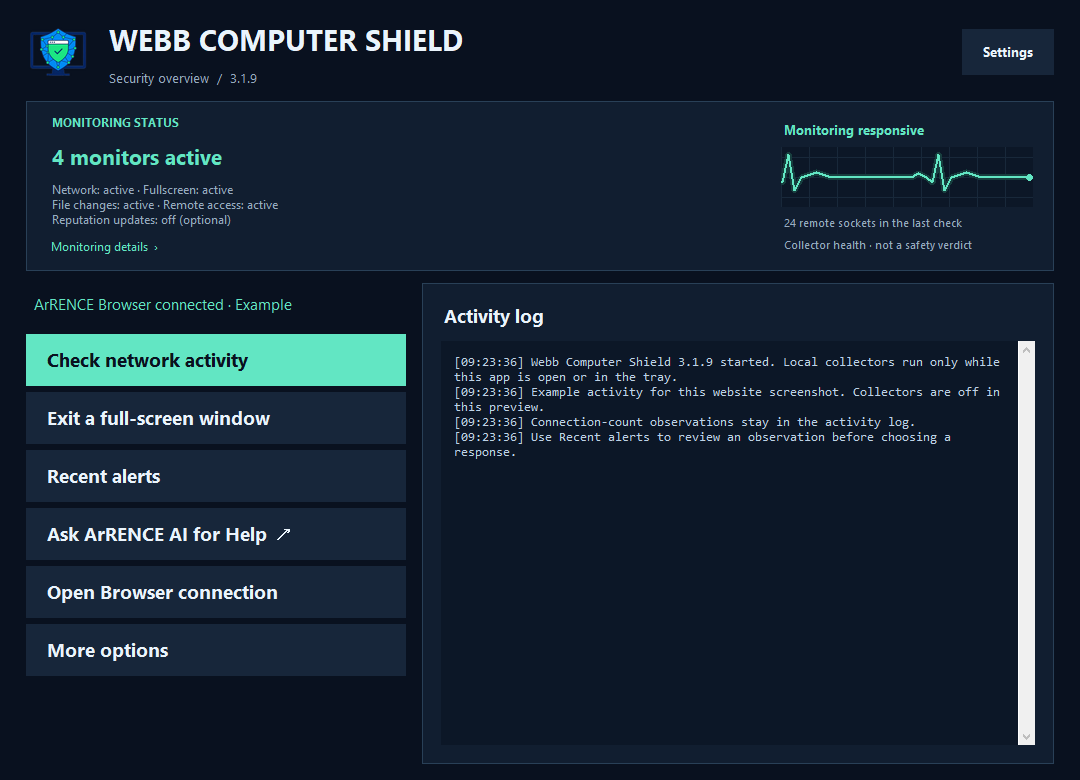
Shield collects useful observations and gives you practical tools to review them.
Fullscreen checks look for suspicious combinations of security warnings, urgency, and requests to call, pay, or grant remote access. A fullscreen window by itself is not a threat.
Use Exit a full-screen window or the Ctrl + Alt + F12 shortcut when available. With Browser connected, requests can target the observed tab rather than the whole browser.
Review current connections and optional destination reputation matches. Busy apps contacting many destinations are recorded quietly; a connection count alone does not trigger a security popup.
Shield can highlight remote-capable tools and active sessions so you can check whether you authorized them. An observation does not prove an intrusion.
Personal-folder monitoring looks for unusual file-change activity and supporting signals. You choose the folders and keep control of any response.
The encrypted quarantine vault keeps files you explicitly move there recoverable. Restore or permanently delete only the selected record, and preserve needed files before resetting or uninstalling Shield.
Computer Shield + ArRENCE Browser
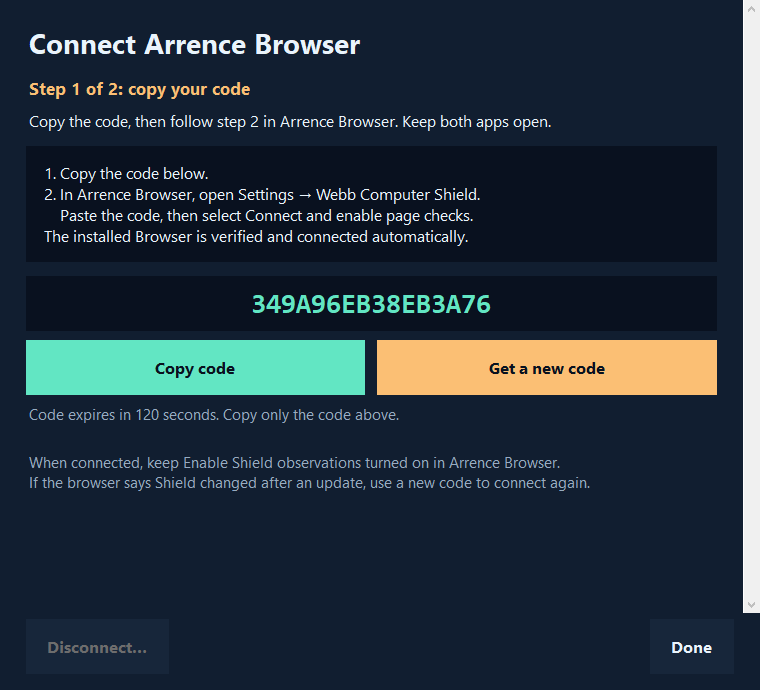
Shield works on the desktop by itself. ArRENCE Browser adds page-level signals and precise controls for the suspicious tab you are viewing.
Enter a short-lived code in Browser. The current installed apps verify each other and finish connecting automatically. Your browsing history and page text are not sent to Shield.
A little clarity goes a long way
Shield helps you notice and review activity. It does not automatically kill a program, delete a file, or treat a busy connection as proof of malware.
Keep your antivirus and Windows protections enabled. Shield adds another perspective; no combination of tools can promise to catch every threat.
Understand the status display →A few helpful answers
No. Open it normally as your signed-in Windows user. The current app does not need you to elevate it, change firewall rules, or turn off antivirus protections.
Closing the window can leave Shield in the system tray so monitoring continues. Use Exit from its tray menu to stop it completely. It does not install a hidden background service.
It means network collection is responsive. It is not a verdict that every connection is safe. Amber indicates an observation needing review or limited coverage; gray means off, paused, or starting.
No. Its checks use supporting signals and can miss threats. Visible-text checks focus on English patterns; OCR and desktop visibility have limits. Keep backups and your existing antivirus protections.
Desktop observations and incident records stay in local app storage. Browser shares only limited signal flags and opaque page identifiers with Shield. Optional reputation downloads contact their provider, and opening AI help contacts that service. Read the privacy policy for details.
A calmer next step
For Windows x64. Microsoft Store shows current availability and pricing.